Spread vs Rest Operators in JavaScript
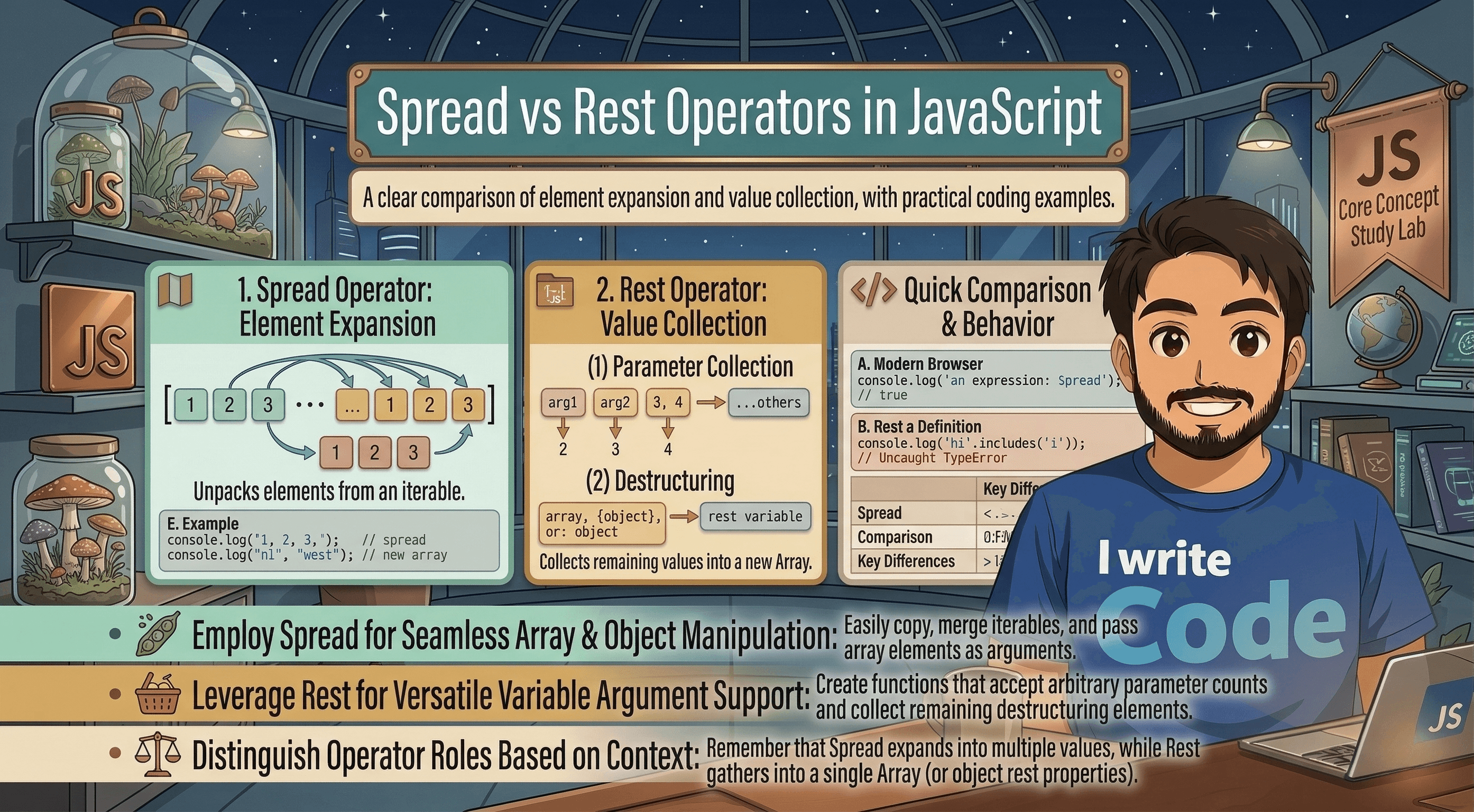
In JavaScript, you might have seen three simple dots ... used frequently in modern code. While they look exactly the same, they can do two completely different jobs depending on where and how they are used. They can act as either the Spread operator or the Rest operator.
In this blog, we will understand what the spread operator does, what the rest operator does, the key differences between them, how to use spread with arrays and objects, and look at some practical real-world use cases.
First, let’s understand the core concept behind these three dots: expanding vs collecting values.
Expanding vs Collecting Values
To make it simple, think of a bag of groceries.
If you open the bag and put all the individual items out on the kitchen table, you are expanding the bag. This is what the Spread operator does.
If you take a bunch of loose items from the table and pack them all into a single bag, you are collecting them. This is what the Rest operator does.
Now, let's dive deep into each one.
What the Spread Operator Does
The Spread operator is used to unpack or "spread" the elements of an array or the properties of an object. It allows you to take a group of items and pull them out into individual, separate pieces.
Imagine you have a small array of numbers, and you want to use them somewhere else. Instead of writing them one by one, you can just spread them.
Example with a small array:
const numbers = [1, 2, 3];
console.log(...numbers);
// Output: 1 2 3 (Notice they are individual numbers now, not an array)
Whenever you need to expand an existing array or object to copy its contents or merge it with another, the spread operator is your best friend.
What the Rest Operator Does
The Rest operator does the exact opposite of the Spread operator. Instead of unpacking data, it collects multiple separate elements and packs them into a single array.
It is most commonly used in functions when you do not know exactly how many arguments will be passed to that function. It gathers the "rest" of the items.
Example using Rest in a function:
function collectToys(...toys) {
  console.log(toys);
}

collectToys("Car", "Doll", "Puzzle");
// Output: ["Car", "Doll", "Puzzle"]
Even though we passed three separate words into the function, the ...toys rest operator collected them all and put them neatly into a single array.
Key Differences Between Spread and Rest
Although they look identical (...), their purpose is entirely different. Here is a simple comparison to help you remember:
Action: Spread expands elements. Rest collects elements.
Where it is used: Spread is used in array literals, object literals, and when calling a function. Rest is used when defining function parameters and in destructuring.
Position: Spread can be used anywhere in an array or object. Rest must always be the very last item in a function parameter list or a destructuring assignment, because it collects whatever is left over.
Using Spread with Arrays and Objects
The spread operator is incredibly useful when working with arrays and objects. Let's look at how we can use it to copy and merge data.
1. With Arrays
Before the spread operator, combining arrays was a bit clunky. Now, it is seamless.
Copying an array:
const oldArray = ["Apple", "Banana"];
const newArray = [...oldArray, "Cherry"];

console.log(newArray);
// Output: ["Apple", "Banana", "Cherry"]
Merging two arrays:
const groupOne = [1, 2];
const groupTwo = [3, 4];
const combined = [...groupOne, ...groupTwo];

console.log(combined);
// Output: [1, 2, 3, 4]
2. With Objects
Just like arrays, we can unpack properties from one object and put them into another. This is heavily used in modern JavaScript frameworks like React.
Copying and adding to an object:
const userBasic = { name: "Suprabhat", age: 23 };
const userFullProfile = { ...userBasic, city: "Delhi", active: true };

console.log(userFullProfile);
// Output: { name: "Suprabhat", age: 23, city: "Delhi", active: true }
Practical Use Cases
Now that we know the basics, let’s look at some real-world usage patterns where developers use Spread and Rest every day.
1. Creating a Safe Copy of Data (Spread)
In JavaScript, if you simply assign an object to a new variable, it just creates a reference to the original object. If you change the new one, the old one changes too! Spread prevents this by creating a brand-new copy.
const originalUser = { name: "Suprabhat", age: 23 };
const copiedUser = { ...originalUser };

copiedUser.age = 24;
// originalUser.age remains 23. They are separate!
2. Passing Array Elements into Math Functions (Spread)
JavaScript's built-in Math functions, like Math.max(), expect individual numbers, not an array. If you have an array of scores, you can spread them into the function.
const scores = [85, 92, 78, 99, 88];
const highestScore = Math.max(...scores);

console.log(highestScore); // Output: 99
3. Handling Unknown Function Arguments (Rest)
If you are writing a function that needs to add up an unknown amount of numbers, the rest operator makes it easy by giving you an array of all arguments.
function calculateTotal(...prices) {
  let total = 0;
  for (let price of prices) {
    total += price;
  }
  return total;
}

console.log(calculateTotal(100, 200, 50)); // Output: 350
4. Extracting Specific Data and Keeping the Rest (Rest & Spread combined)
Sometimes you get a large object, but you only need one specific property and want to keep everything else separate. You can use destructuring with the rest operator.
const student = { name: "Suprabhat", age: 23, course: "Computer Science", grade: "A" };

const { name, ...otherDetails } = student;

console.log(name);
// Output: "Suprabhat"
console.log(otherDetails);
// Output: { age: 23, course: "Computer Science", grade: "A" }
Conclusion
The three dots ... in JavaScript might seem confusing at first, but they are incredibly logical once you know their roles.
Remember the rule of thumb: If you are taking data out of a box to use it, you are using the Spread operator. If you are sweeping up leftover data and putting it into a new box, you are using the Rest operator.
Understanding these operators will make your code much cleaner, shorter, and easier to read. It will also prepare you to write modern JavaScript and work comfortably with popular frameworks!