
Array Methods You Must Know
When you are building a website or web app, you will constantly work with lists of data: a list of users, a list of products, or a list of messages. In JavaScript, we store these lists in Arrays.
But just storing data isn't enough. You need to add items, remove items, search through them, and change them. To do this, JavaScript gives us built-in "Array Methods."
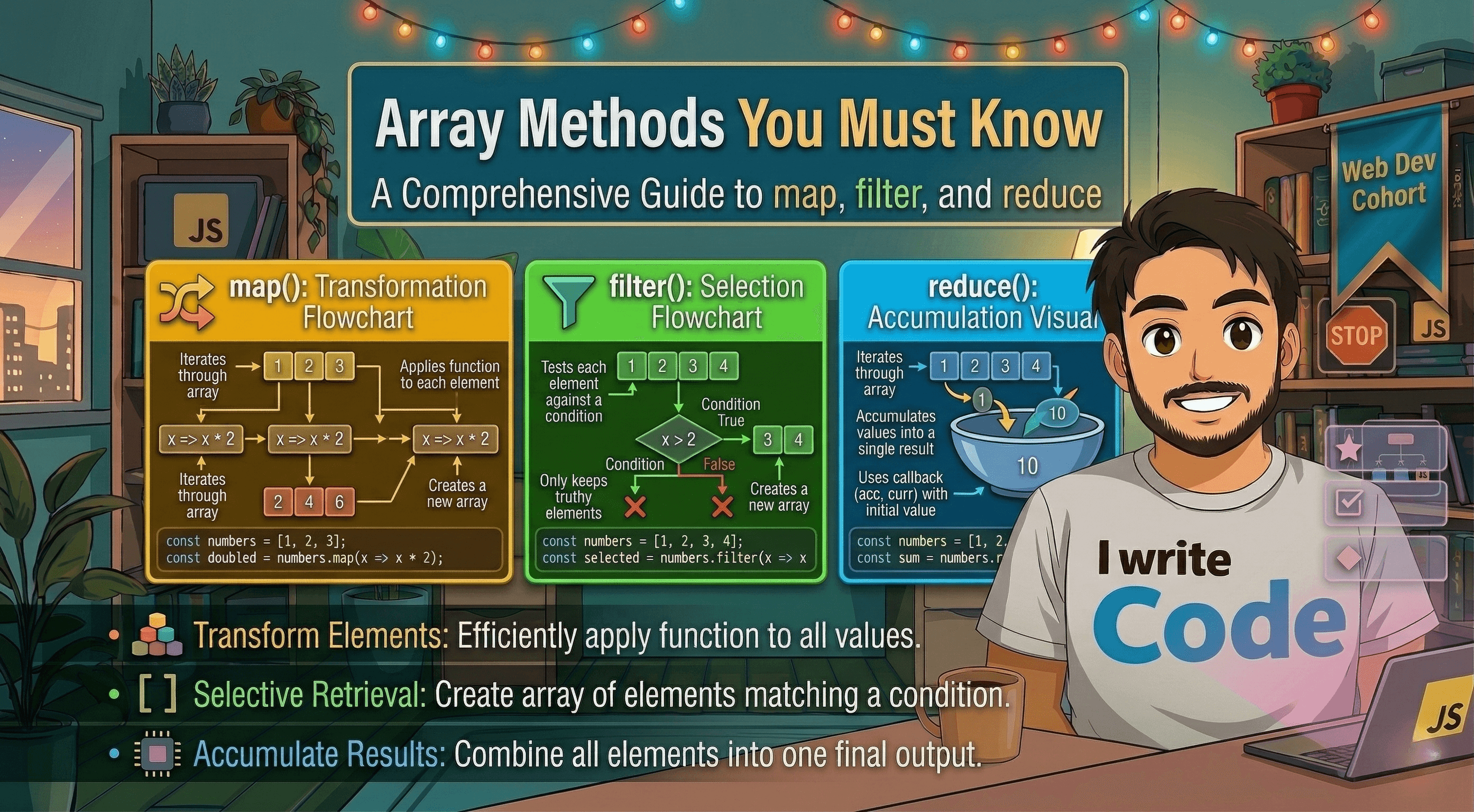
In this blog, we will understand the most important array methods: how to add and remove items (push, pop, shift, unshift), how to loop through them (forEach), and how to transform them (map, filter, reduce).
First, let's look at how to add and remove items from an array.
Adding and Removing Items
Think of an array like a stack of books or a line of people. You can add or remove people from the back of the line, or from the front of the line.
1. push() and pop() (Working at the END of the array)
push(): Adds one or more items to the end of an array.pop(): Removes the last item from an array.
Example:
let fruits = ["Apple", "Banana"];
console.log("Before push:", fruits); // ["Apple", "Banana"]

// Add to the end
fruits.push("Mango");
console.log("After push:", fruits); // ["Apple", "Banana", "Mango"]

// Remove from the end
fruits.pop();
console.log("After pop:", fruits); // ["Apple", "Banana"]
2. shift() and unshift() (Working at the START of the array)
unshift(): Adds one or more items to the beginning of an array.shift(): Removes the first item from an array.
Example:
let cars = ["Ford", "Toyota"];
console.log("Before unshift:", cars); // ["Ford", "Toyota"]

// Add to the beginning
cars.unshift("BMW");
console.log("After unshift:", cars); // ["BMW", "Ford", "Toyota"]

// Remove from the beginning
cars.shift();
console.log("After shift:", cars); // ["Ford", "Toyota"]
Iterating and Transforming Arrays
Now, what if you want to look at every item in the array and do something with it? This is where iteration methods come in.
3. forEach() - The Basic Loop
forEach() is a simple way to execute a function for every single item in your array. It does not create a new array; it just runs your code.
Example:
let names = ["Suprabhat", "Piyush", "Rith"];

names.forEach(function(name) {
  console.log("Hello, " + name);
});
// Output:
// Hello, Suprabhat
// Hello, Piyush
// Hello, Rith
4. map() - Changing Data
map() is used when you want to transform every item in an array and create a brand new array with the changed items.
Traditional for loop vs map():
Imagine we have an array of numbers and we want to double them.
Using a traditional for loop:
let numbers = [1, 2, 3];
let doubled = [];

for (let i = 0; i < numbers.length; i++) {
  doubled.push(numbers[i] * 2);
}
console.log("For loop result:", doubled); // [2, 4, 6]
Using map():
let numbers = [1, 2, 3];
console.log("Before map:", numbers); // [1, 2, 3]

let doubled = numbers.map(function(num) {
  return num * 2;
});

console.log("After map:", doubled); // [2, 4, 6]
map() is much cleaner and easier to read!
5. filter() - Selecting Data
filter() is used when you have a big array and you only want to keep the items that pass a specific test. It returns a new array with only the matching items.
Traditional for loop vs filter():
Imagine we want to find only the numbers greater than 10.
Using a traditional for loop:
let ages = [5, 12, 8, 20];
let adults = [];

for (let i = 0; i < ages.length; i++) {
  if (ages[i] > 10) {
    adults.push(ages[i]);
  }
}
console.log("For loop result:", adults); // [12, 20]
Using filter():
let ages = [5, 12, 8, 20];
console.log("Before filter:", ages); // [5, 12, 8, 20]

let adults = ages.filter(function(age) {
  return age > 10;
});

console.log("After filter:", adults); // [12, 20]
6. reduce() - Combining Data
reduce() can seem scary, but its main job is simple: it takes an array with many items and "reduces" it down to a single value. The most common beginner use case is adding up a list of numbers.
It keeps a running total (often called an accumulator) as it loops through the array.
Example:
let prices = [10, 20, 30];
console.log("Before reduce (array):", prices);

let totalSum = prices.reduce(function(total, currentPrice) {
  return total + currentPrice;
}, 0); // The '0' is our starting total

console.log("After reduce (single value):", totalSum); // 60
Conclusion
Arrays are the backbone of data management in JavaScript. By mastering push, pop, shift, and unshift, you can control exactly what goes in and out of your lists. By understanding map, filter, reduce, and forEach, you can transform and search your data without writing long, messy for loops.
Your Next Step: The best way to learn these is by doing! Open up your browser's developer tools (Right-click anywhere on a web page -> Inspect -> Click the "Console" tab) and copy-paste these examples to see how they work live.