
Arrow Functions in JavaScript: A Simpler Way to Write Functions
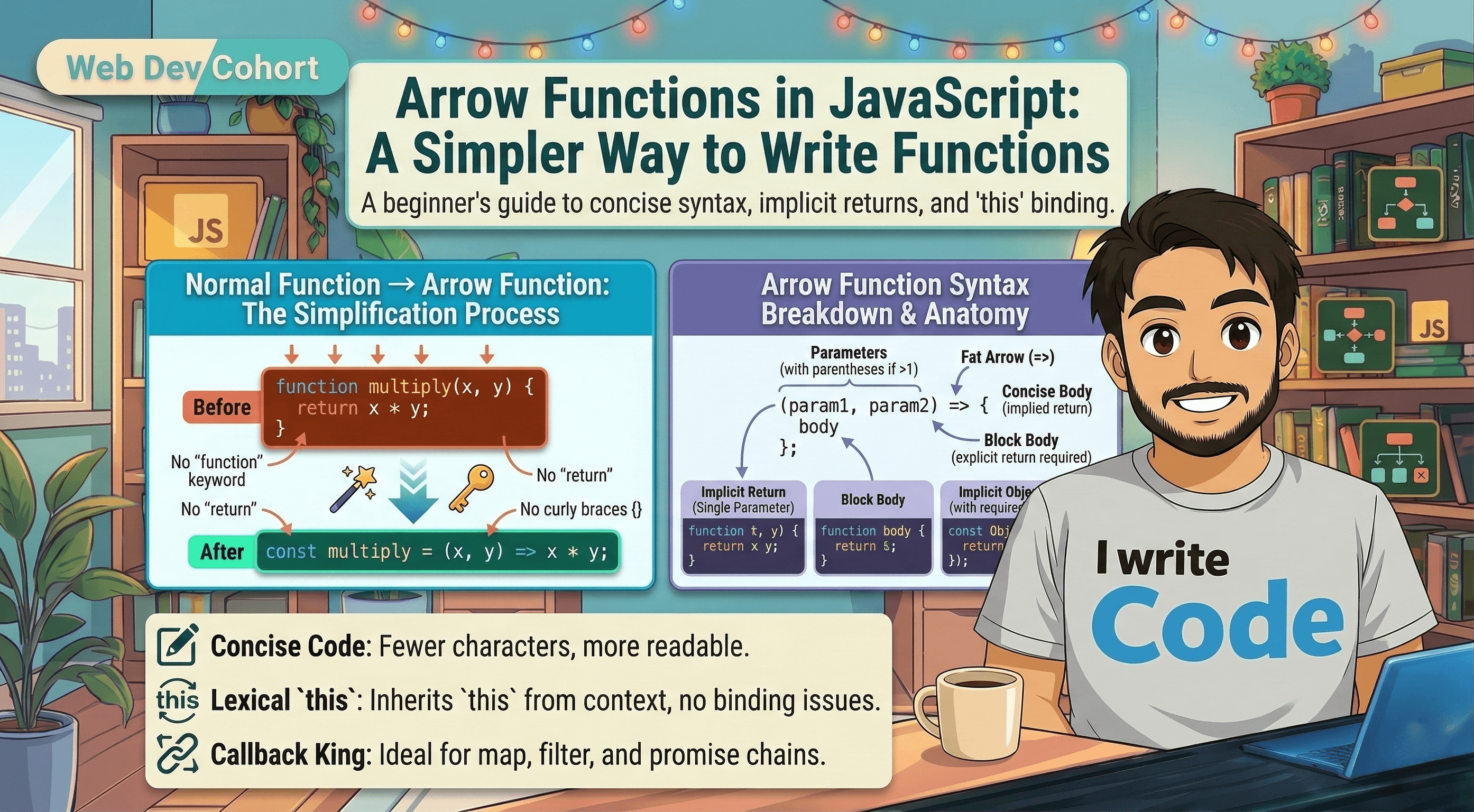
If there is one thing programmers love, it is writing less code to achieve the exact same result.
In older JavaScript, every time you wanted to create a function, you had to write out the full word function, use curly braces {}, and explicitly tell the code to return a value. Doing this dozens of times a day can feel repetitive and clunky.
To solve this, modern JavaScript (ES6) introduced a brilliant, shorter syntax called Arrow Functions. They allow you to strip away the unnecessary "boilerplate" code and write functions that are incredibly clean and easy to read.
In this blog, we will understand what arrow functions are, how to convert your old functions into arrow functions, how to handle parameters, and the magic of the "implicit return."
What Are Arrow Functions?
An arrow function is simply a more compact alternative to a regular function expression. Instead of using the function keyword, we use an "arrow" made out of an equals sign and a greater-than sign: =>.
Let's look at how we can shrink a normal function down into an arrow function.
The Normal Function Expression:
let addNumbers = function(a, b) {
  return a + b;
};
The Arrow Function:
// 1. Remove the word 'function'
// 2. Add the '=>' arrow after the parameters
let addNumbers = (a, b) => {
  return a + b;
};
Just by removing one word and adding an arrow, the code already looks more modern! But arrow functions can get even shorter.
Implicit Return vs. Explicit Return
One of the best features of arrow functions is how they handle returning data.
Explicit Return (The Old Way)
When your function has multiple lines of code, you must use curly braces {} and explicitly write the return keyword to send data back.
let multiply = (a, b) => {
  let result = a * b;
  return result; // Explicitly returning the value
};
Implicit Return (The Magic One-Liner)
If your function only has one single line of code that returns a value, you can completely delete the curly braces {} AND the return keyword! JavaScript will implicitly (automatically) return whatever is on that line.
// Look how clean this is!
let multiply = (a, b) => a * b;

console.log(multiply(5, 4)); // Output: 20
This is why developers love arrow functions. What used to take three lines of code now takes just one beautifully readable line.
Arrow Functions with Parameters
Arrow functions adapt gracefully depending on how many inputs (parameters) you need to pass in.
1. Multiple Parameters
If you have two or more parameters, you must wrap them in parentheses ().
let greet = (firstName, lastName) => "Hello, " + firstName + " " + lastName;

console.log(greet("Suprabhat", "NA")); // Output: Hello, Suprabhat NA
2. Exactly One Parameter
If your function only takes exactly one parameter, JavaScript allows you to drop the parentheses entirely. This makes the code even cleaner.
// No parentheses needed around 'name'
let sayHi = name => "Hi there, " + name + "!";

console.log(sayHi("Suprabhat")); // Output: Hi there, Suprabhat!
3. Zero Parameters
If your function doesn't take any inputs at all, you must use an empty set of parentheses () to hold the place where the parameters would go.
let sayGoodMorning = () => "Good morning everyone!";

console.log(sayGoodMorning()); // Output: Good morning everyone!
Basic Difference Between Arrow Functions and Normal Functions
While arrow functions look great, they are not a 100% replacement for every normal function. Here is a quick breakdown of their basic differences:
Feature | Normal Function Expression | Arrow Function |
Keyword | Uses | Uses |
Syntax length | Longer | Much shorter, modern style |
Return keyword | Always requires | Can use implicit return (no |
The | Has its own | Inherits |
Rule of thumb: For simple math operations, formatting text, or using array methods like .map() and .filter(), arrow functions are the perfect choice.
Conclusion
Arrow functions are a staple of modern JavaScript. By removing the function keyword, making parentheses optional for single parameters, and introducing the implicit return, they allow you to write highly readable, concise code. Once you start using them, going back to the old way feels like typing in slow motion!