Async/Await in JavaScript: Writing Cleaner Asynchronous Code
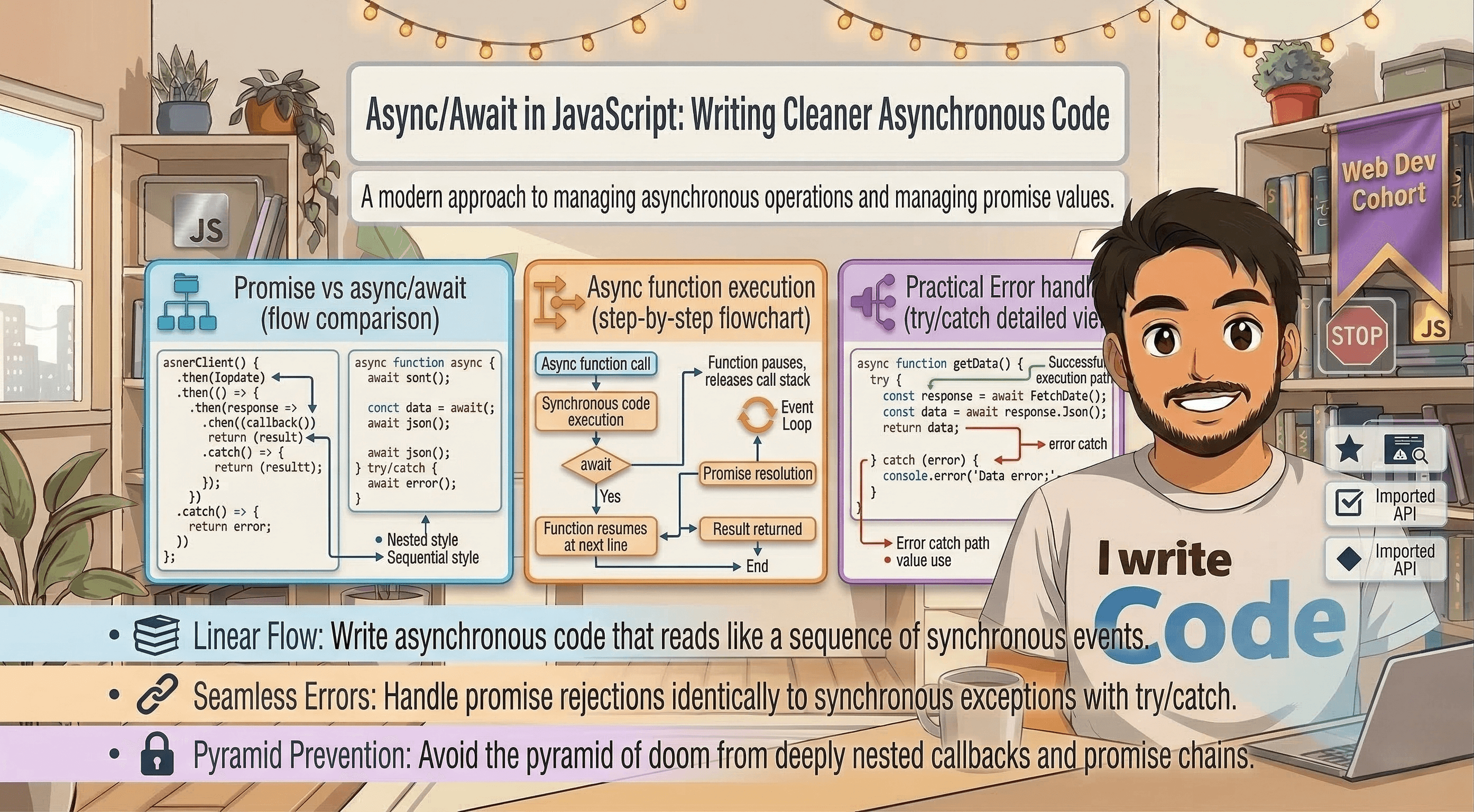
Across the Internet, millions of operations are happening every second. Some are fast, like adding two numbers, but others take time, like fetching a profile picture from a server or loading a database of movies. If JavaScript stopped and waited for every slow task to finish, your browser would "freeze" every time you clicked a button.
To keep things smooth, JavaScript uses Asynchronous Programming. In the past, we used "Callbacks" and "Promises" to handle these waiting periods. But today, we have something even better: Async/Await.
In this deep-dive blog, we will understand why async/await was introduced, how it works under the hood, why we call it "Syntactic Sugar," how to handle errors, and how it compares to traditional Promises.
The Evolution: Why Async/Await?
Before we learn the new way, we must understand the "pain" of the old way. In the early days, JavaScript used Callbacks functions that run only after a task is finished. If you had five tasks to do in order, you ended up with "Callback Hell."
Then came Promises in 2015 (ES6). They were a huge upgrade! Instead of nested functions, we could "chain" operations using .then(). However, even with Promises, long chains could become hard to read and debug.
Async/Await was introduced in 2017 (ES8) to make asynchronous code look and behave like synchronous code (code that runs line-by-line).
What is "Syntactic Sugar"?
You will often hear developers call async/await "syntactic sugar." This means it doesn't actually change how JavaScript works. Under the hood, the engine is still using Promises. It’s just a "sweeter," cleaner way for humans to write and read the code. It’s like using a remote control instead of walking up to the TV to change the channel, the TV still works the same way, but your experience is much better.
Understanding the async Keyword
The first part of the duo is the async keyword. You place it before a function declaration to turn it into an Asynchronous Function.
What does async actually do?
An async function always returns a Promise. Even if you return a simple string or number, JavaScript will automatically wrap that value inside a "Resolved Promise."
async function greet() {
    return "Hello, Blog Buddy!";
}

// Even though we returned a string, it acts like a Promise
greet().then(value => console.log(value));
Because it returns a promise, you can use .then() on any async function, but as we’ll see, we usually don't need to anymore.
The Power of the await Keyword
The await keyword is where the magic happens. It can only be used inside an async function.
When JavaScript sees await, it literally "pauses" the execution of that specific function until the Promise is settled (either resolved or rejected). While the function is paused, the rest of your website keeps running perfectly, the browser doesn't freeze!
A Real-World Example: Making Coffee
Imagine you are a chef.
You start the coffee machine (Async task).
You await the coffee to be ready.
Once the coffee is in your hand, you start drinking it.
In code, it looks like this:
async function morningRoutine() {
    console.log("Starting the coffee machine...");

    // JavaScript pauses here until the coffee is done
    const coffee = await makeCoffee();

    console.log("Drinking the " + coffee);
    console.log("Starting my workday!");
}
Without await, JavaScript would try to "drink the coffee" before the machine even started!
Promises vs. Async/Await: A Comparison
Let’s look at how the code changes when we switch from Promises to Async/Await. Imagine we are fetching user data from an API and then fetching their posts.
The Promise Way (Before)
function getData() {
    fetch('https://api.example.com/user')
        .then(response => response.json())
        .then(user => {
            console.log(user);
            return fetch(`https://api.example.com/posts/${user.id}`);
        })
        .then(posts => {
            console.log(posts);
        })
        .catch(error => {
            console.error("Something went wrong!", error);
        });
}
This is okay, but notice the nesting and the multiple .then() calls. It’s a bit "noisy."
The Async/Await Way (After)
async function getData() {
    try {
        const response = await fetch('https://api.example.com/user');
        const user = await response.json();
        console.log(user);

        const postsResponse = await fetch(`https://api.example.com/posts/${user.id}`);
        const posts = await postsResponse.json();
        console.log(posts);
    } catch (error) {
        console.error("Something went wrong!", error);
    }
}
Why the second way is better:
Readability: It looks like a normal list of instructions.
Debugging: You can set a breakpoint on a single line easily.
Variable Access: The
uservariable is available throughout the whole function, whereas in Promise chains, it can sometimes be hard to pass data down the chain.
Handling Errors with Try...Catch
In traditional Promises, we use .catch() to handle errors. In async/await, we use the classic try...catch block. This is great because it’s the same way we handle errors in normal, synchronous JavaScript.
async function fetchRecipe() {
    try {
        const response = await fetch('https://api.food.com/pizza');
        if (!response.ok) {
            throw new Error("Recipe not found!");
        }
        const data = await response.json();
        return data;
    } catch (error) {
        // This block runs if the internet fails or if the URL is wrong
        console.log("Error caught: " + error.message);
    }
}
Using try...catch makes your code much cleaner because you can wrap multiple await calls in one single block to catch any error that happens at any step.
Comparison Table: Promises vs. Async/Await
| Feature | Promises (.then) |
Async/Await |
|---|---|---|
| Code Style | Chain-based (Functional) | Sequential (Imperative) |
| Readability | Can get messy with long chains | Very easy to read, like a story |
| Error Handling | .catch() method |
try...catch block |
| Debugging | Harder to follow stack traces | Much easier; feels like sync code |
| Conditionals | Harder to use if/else |
Very easy to use if/else |
Common Pitfalls to Avoid
Even though async/await is easier, there are two common mistakes beginners make.
1. Forgetting the await
If you forget await, JavaScript won't wait. It will just return the "Pending Promise" object instead of the actual data.
const data = fetch('api/data'); // Mistake: No await
console.log(data); // Output: Promise { <pending> }
2. The "Serial" Trap (Slowness)
If you have two tasks that don't depend on each other (like loading a profile and loading a weather widget), don't await them one by one.
Wrong:
await profile; await weather;(Total time = 2s + 2s = 4 seconds).Right: Use
Promise.all([profile, weather])to start them both at the same time.
Summary
Async/Await is the gold standard for writing modern JavaScript. It takes the power of Promises and wraps them in a syntax that is easy for humans to understand.
asyncmakes a function return a promise.awaitpauses the function until the promise is ready.try...catchkeeps your app from crashing when things go wrong.
By using these tools, you move away from messy "callback hell" and toward professional, clean, and maintainable code.
Conclusion
Understanding async/await is like moving from a manual transmission car to an automatic. You still have the same engine (Promises), but the driving experience is much smoother and you’re less likely to stall!
Every time you interact with an API, a database, or a file system, async/await will be your best friend. It makes the "invisible" waiting game of the internet visible and manageable.