String Polyfills and Common Interview Methods in JavaScript
Across the Internet, almost every web application handles text. Whether it is displaying a user's profile where name: "Suprabhat", age: 23, processing a shipping address, or searching for a specific keyword, text is everywhere. In programming, we call this text a "string."
In this blog, we will understand what string methods are, why developers write polyfills, how to implement simple string utilities, and why understanding these concepts is highly important for common interview problems.
First, let’s understand what string methods are.
What are string methods
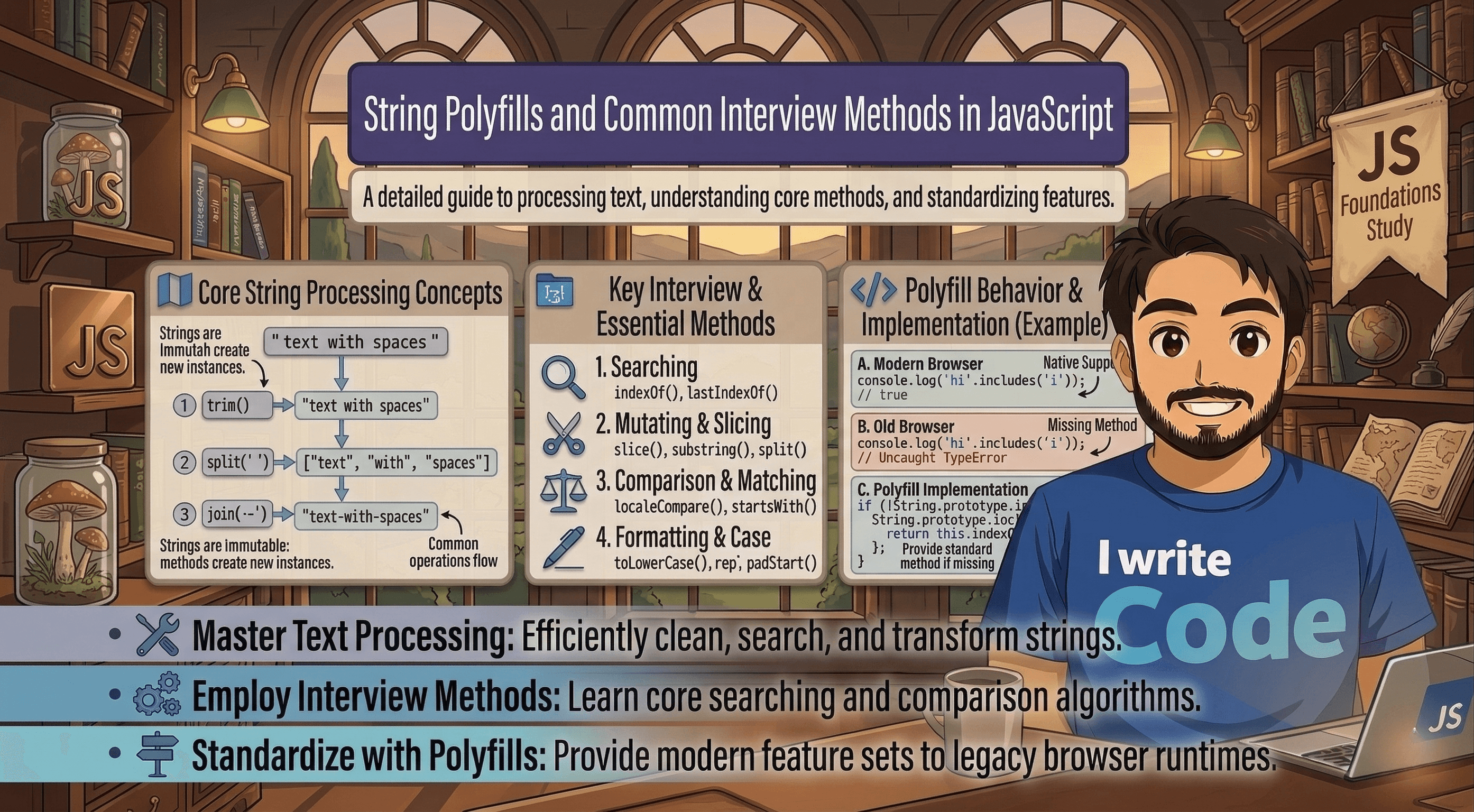
A string is simply a sequence of characters grouped together. String methods are built-in functions provided by programming languages (like JavaScript, Python, or Java) to help you manipulate and work with these characters easily.
Instead of writing complex logic every time you want to find a character, make a word uppercase, or cut a sentence in half, you can just use a built-in method.
For example, in JavaScript:
toUpperCase()automatically converts text to capital letters.indexOf()finds exactly where a specific letter or word is located.slice()extracts a specific part of the text so you can use it elsewhere.
These methods are like pre-made tools in a toolbox, ready to use whenever you need to format or inspect text.
Importance of understanding built-in behavior
It is very easy to just call text.toUpperCase() and let the computer do the work. But as a developer, you must understand how these built-in methods work conceptually.
Why? Because under the hood, a string is just an array-like list of characters. When you call a method, the computer is actually running a loop, checking conditions one by one, and returning a new result. Understanding this underlying logic helps you write better, faster code. It also prepares you for edge cases where built-in methods might fail, behave unexpectedly, or slow down your application if used improperly on massive amounts of text.
Why developers write polyfills
Sometimes, a brand new string method is added to a language, but older web browsers do not support it yet. If a user with an old browser opens your website and your code uses a method their browser doesn't recognize, the site will break entirely.
To fix this, developers write "polyfills."
A polyfill is a piece of code that provides modern functionality to older browsers that do not natively support it. You are basically recreating the built-in method yourself using fundamental programming logic, like basic loops and if-statements. By including a polyfill, you ensure your code runs smoothly everywhere.
Additionally, writing polyfills is one of the most common tasks in coding interviews. Interviewers want to see if you can build the tools from scratch, not just use the ones handed to you.
Implementing simple string utilities
Let’s understand the logic behind these built-in tools by writing our own simple string utilities (polyfills).
Example 1: Recreating startsWith The built-in startsWith(searchString) method checks if a string begins with a certain word. How do we write this ourselves conceptually?
Logic: We just need to check if the characters at the very beginning of our text exactly match the characters of the search string, one by one.
function customStartsWith(text, search) {
    for (let i = 0; i < search.length; i++) {
        if (text[i] !== search[i]) {
            return false;
        }
    }
    return true;
}
If any letter does not match during the loop, we immediately return false. If the loop finishes perfectly without finding any mismatches, it returns true.
Example 2: Recreating repeat The repeat(count) method takes a string and repeats it a specific number of times.
Logic: We can create an empty string and use a simple loop to add the original string to it however many times the count specifies.
function customRepeat(text, count) {
    let result = "";
    for (let i = 0; i < count; i++) {
        result += text;
    }
    return result;
}
By focusing on the basic logic, you can recreate almost any built-in method.
Common interview string problems
If you understand how to loop through strings and build polyfills, you will easily be able to solve common interview string problems.
Technical interviews heavily focus on manual string manipulation. Interviewers will often tell you, "Solve this without using any built-in string methods." Some classic problems include:
Reversing a string: Starting a loop from the end of the string and building a new one backwards.
Checking for a Palindrome: Checking if a word reads the same forward and backward (like "racecar" or "madam") using a two-pointer approach.
Finding the longest word: Manually tracking spaces to separate a sentence into individual words and comparing their character counts.
Interviewers ask these questions to check your core logical thinking. If you know how strings operate under the hood, you will easily navigate these technical rounds.
Conclusion
Built-in string methods make our daily coding life much easier, but understanding their internal behavior is what makes you a strong software engineer. Writing polyfills bridges the gap between older environments and modern code, and it is a fantastic way to sharpen your logic for technical interviews.
By practicing how to manually recreate simple utilities, you train your brain to think conceptually, preparing you to tackle complex data manipulation with confidence.