TCP Working: 3-Way Handshake & Reliable Communication
Across the Internet, millions of data packets are moving every second between computers. But if data is sent without any rules, packets can be lost, arrive in wrong order, or get corrupted. To avoid these problems, we need proper protocols that control how data is sent and received.
In this blog we will understand what is TCP, why it is needed, what problems it solves, how the TCP 3-Way Handshake works, how data is transferred, how reliability is maintained, and how a TCP connection is closed.
First, let’s understand what is TCP and why it is needed.
What is TCP and why it is needed
TCP (Transmission Control Protocol) is one of the most important protocols used on the Internet. It is designed to send data safely from one computer system to another. Without TCP, data can be lost, duplicated, or mixed in wrong order.
TCP is needed because the Internet is not perfect. Networks can be slow, unstable, or overloaded. TCP makes sure that data reaches the correct destination, in the correct order, and without errors. That is why TCP is mainly used where accuracy and reliability are very important.
Problems TCP is designed to solve
When data is sent without rules, many problems can happen.
Sometimes packets are lost on the way.
Sometimes packets arrive in wrong order.
Sometimes the same packet is received twice.
Sometimes data is corrupted during transfer.
TCP is designed to solve all these problems. It checks every packet, keeps track of order, resends lost data, and confirms successful delivery.
What is the TCP 3-Way Handshake
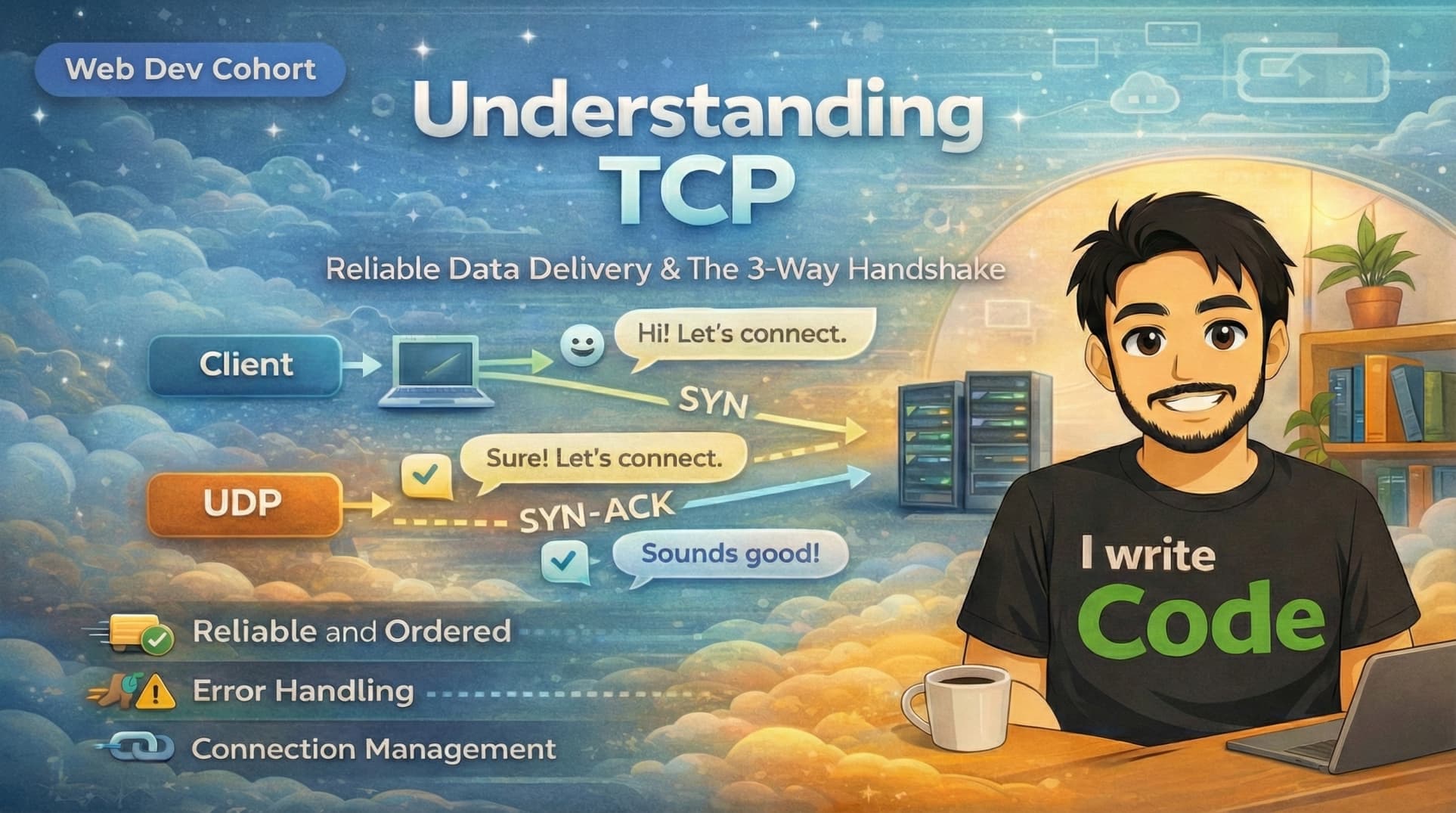
Before sending any real data, TCP first creates a proper connection between the sender and the receiver. This process is called the 3-Way Handshake.
It is used to make sure that both sides are ready to communicate and agree on starting the data transfer.
You can think of it like a simple conversation before starting to talk.
Client: Can I talk to you?
Server: Yes, I am ready.
Client: Okay, let’s start.
After this, the real communication begins.
Step-by-step working of SYN, SYN-ACK, and ACK
these are just buzz works, let’s understand team.
First Step – SYN (short term for Synchronize)
The client sends a message called SYN to the server.
This means: I want to start a connection.
Second Step – SYN-ACK
The server replies with SYN-ACK.
This means: I received your request and I am ready to connect.
Third Step – ACK (short term for Acknowledgement)
The client sends back ACK.
This means: Connection confirmed, let’s start sending data.
After these three steps, a secure TCP connection is created.

How data transfer works in TCP
Once the connection is ready, data transfer starts. TCP divides large data into small packets and sends them one by one. Each packet has a sequence number so the receiver knows the correct order.
The receiver sends acknowledgements for received packets. If any packet is missing, TCP detects it and asks the sender to resend that packet.
In this way, TCP makes sure that all data reaches correctly.
How TCP ensures reliability, order, and correctness
TCP ensures reliability by confirming every packet using acknowledgements.
TCP ensures order by using sequence numbers and arranging packets properly.
TCP ensures correctness by checking errors and retransmitting lost packets.
If the network is slow or unstable, TCP automatically adjusts the speed and resends missing data. This makes communication stable and safe.
How a TCP connection is closed
When data transfer is complete, the connection must be closed properly. TCP closes the connection using FIN(Finish) and ACK(Acknowledgement) messages.
First, one side sends FIN, meaning : I am done sending data.
The other side replies with ACK, meaning : I received your message.
Then the second side sends its own FIN.
Finally, the first side replies with ACK and the connection is closed.
This clean closing makes sure that no data is left unfinished.
Conclusion
TCP is a powerful and reliable protocol that makes the Internet work smoothly. It creates safe connections, sends data in correct order, handles errors, and closes connections properly. Without TCP, web browsing, file downloading, and email would be unreliable and messy.
Understanding TCP helps you see how data travels safely behind the scenes every time you open a website or send a file.
We also have UDP that is much faster but not reliable, it’s directly start sending the data For a detail comparison, read this blog. TCP vs UDP: When to Use What, and How TCP Relates to HTTP