Control Flow in JavaScript: If, Else, and Switch Explained
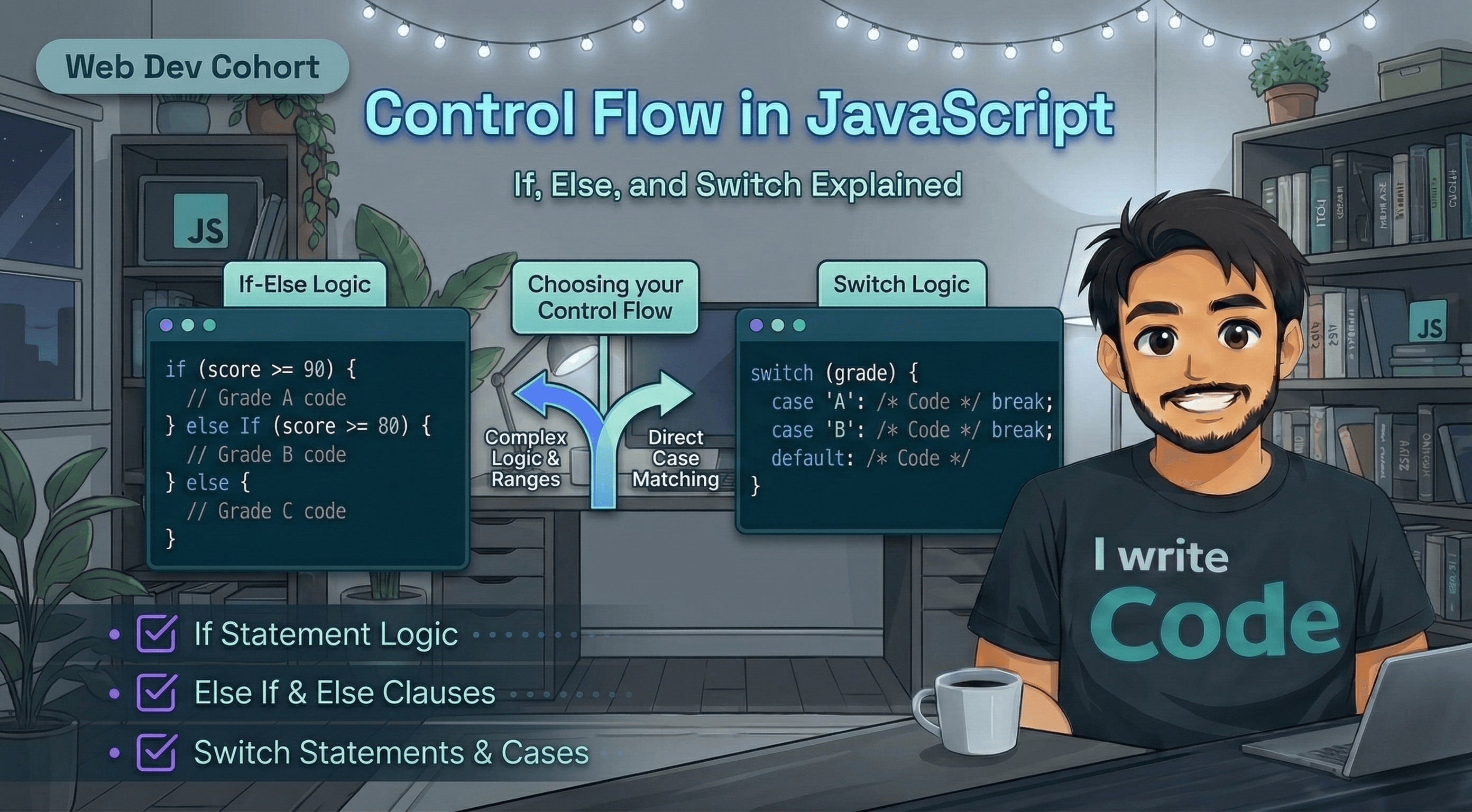
When you wake up in the morning, you make a series of choices: If it is raining, you take an umbrella. If you are hungry, you eat breakfast. Else, you just grab a coffee.
Programming works exactly the same way. Computers don't just run every line of code from top to bottom blindly; they make decisions based on the information they have. This is called Control Flow.
In this blog, we will understand how computers make decisions using if, else, switch, and which one you should pick for your next project.
What is Control Flow?
Control flow is the order in which individual statements or instructions are executed in a program. By default, code runs linearly (one line after another). Control flow structures allow the program to "branch" out, meaning it can skip some parts of the code and run others based on specific conditions.
Think of it like a flowchart where a diamond shape asks a "Yes/No" question. Depending on the answer, you follow a different path.
The if Statement: The Simple "Yes" Check
The if statement is the most basic form of decision-making. It tells the computer: "Only do this task if this condition is true."
Real-life example: If your age is 18 or more, you can vote.
let age = 20;

if (age >= 18) {
    console.log("You are eligible to vote!");
}
If the condition (age >= 18) is false, the computer simply ignores the code inside the curly braces and moves on.
The if-else Statement: Handling Both Sides
What if you want to do one thing when a condition is true, and something else when it’s false? That’s where else comes in.
Example: Checking a Passing Grade
let marks = 35;

if (marks >= 40) {
    console.log("Congratulations! You passed.");
} else {
    console.log("Sorry, you did not pass this time.");
}
In this case, because 35 is not greater than 40, the code "jumps" straight to the else block.
The else if Ladder: Multiple Choices
Sometimes life isn't just "Yes" or "No." Sometimes there are multiple options. The else if ladder allows you to check several conditions one after another.
Example: Traffic Lights
If light is Red -> Stop.
Else if light is Yellow -> Slow down.
Else if light is Green -> Go.
Else -> Invalid light.
let light = "Yellow";

if (light === "Red") {
    console.log("Stop!");
} else if (light === "Yellow") {
    console.log("Prepare to stop.");
} else if (light === "Green") {
    console.log("Go!");
} else {
    console.log("System Error: Unknown light color.");
}
The switch Statement: The Direct Matcher
When you have a single variable that you want to compare against a list of specific values, the switch statement is often cleaner than a long else if ladder.
It looks at the value and "switches" directly to the matching case.
Why do we use break?
In a switch, once the computer finds a match, it starts executing code. If you don't put a break command, it will keep running into the next case even if it doesn't match! break tells the computer: "Stop here and exit the switch."
let dayNumber = 3;

switch (dayNumber) {
    case 1:
        console.log("Monday");
        break;
    case 2:
        console.log("Tuesday");
        break;
    case 3:
        console.log("Wednesday");
        break;
    default:
        console.log("Invalid day");
}
Comparison: switch vs if-else
Feature | if-else | switch |
Best For | Complex logic and ranges (e.g., | Fixed, discrete values (e.g., specific numbers or strings) |
Readability | Can get messy with too many conditions | Very clean for long lists of options |
Speed | Evaluates conditions one by one until it finds a true one | Can be slightly faster for large numbers of cases |
Summary
if: Use when you have one condition to check.if-else: Use for "either/or" situations.else if: Use when you have multiple ranges or complex logic.switch: Use when comparing one variable against many fixed options.
Understanding control flow is like learning the grammar of programming. Once you master it, you can start building programs that actually "think" and react to users.