How a Browser Works Internally
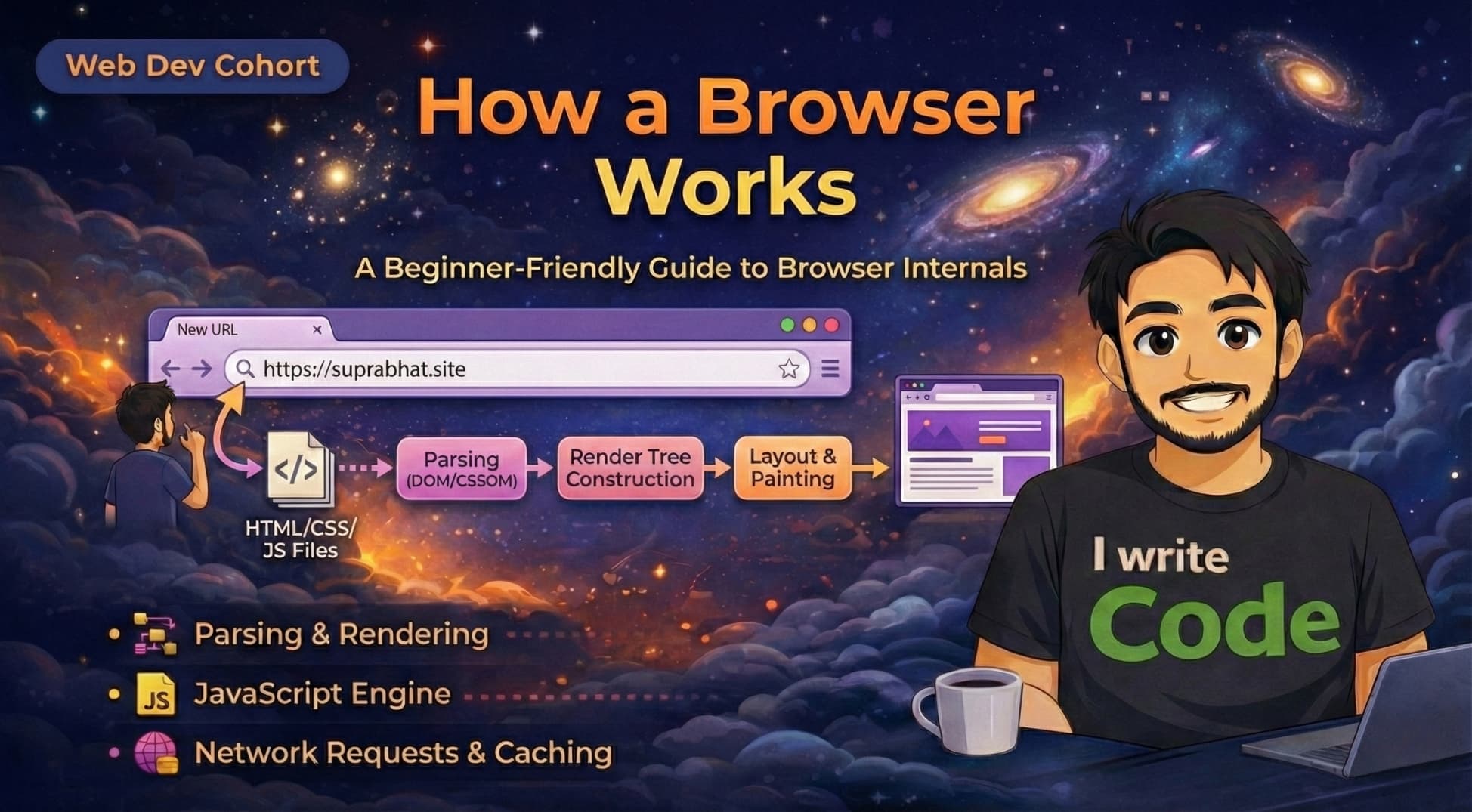
We use web browsers like Chrome, Firefox, or Safari every single day. We type a URL, hit Enter, and a website appears instantly. But have you ever wondered what happens in that split second? How does a browser turn lines of code into images, text, and colors?
In this blog, we will look under the hood of a web browser. We will understand what a browser actually is, its main components, the difference between its engines, and the step-by-step process of how it renders a website, from fetching data to painting pixels on your screen.
First, let’s look beyond the simple definition.
What a browser actually is
Most people think a browser is just the app that opens the website on internet.
Technically, a browser is a software application designed to locate, retrieve, and display content from the World Wide Web. It acts as a translator. It takes languages that computers understand (HTML, CSS, JavaScript) and translates them into a visual format that humans can understand.
Main parts of a browser
A browser is not just one big program; it is made of several working parts. Here are the most important ones:
The User Interface (UI): This is the part you interact with, the address bar, back/forward buttons, bookmarks menu, and the home button.
The Browser Engine: This is the manager. It handles communication between the UI and the rendering engine.
The Rendering Engine: This is the artist. It is responsible for displaying the requested content. If you request an HTML page, the rendering engine parses the HTML and CSS and shows the content on the screen.
Networking: This part handles internet communication, like sending HTTP requests to servers to get images and code.
Browser Engine vs Rendering Engine
It is easy to get these two mixed up, so let's simplify:
Browser Engine: Handles the logic. It listens to what you click in the UI and tells the rendering engine what to do.
Rendering Engine: Handles the visuals. It reads the code and draws the page.
- Examples: Chrome uses an engine called Blink, Safari uses WebKit, and Firefox uses Gecko.
What is Parsing
Before we dive into how HTML works, we need to understand Parsing.
Parsing simply means reading text and converting it into something meaningful that the computer can use.
Think of a simple math problem: 2 + 2
When you read this, your brain doesn't just see three random symbols.
You identify the number
2.You identify the operator
+.You understand the rule: "add them together."
You get the result
4.
Browsers do the exact same thing. They read a tag like <h1>Hello</h1>, understand that h1 means Big Heading, and then process it to look like a heading.
Now, let's see how the browser renders a website step-by-step.
1. Networking: Fetching the data
Everything starts when you type a URL. The browser's Networking layer sends a request to the server (using DNS and TCP, which we discussed in previous blogs).
we have explain DNS and TCP in details : Read here
The server replies with the raw files: HTML, CSS, and images.
2. HTML Parsing and DOM creation
The Rendering Engine receives the raw HTML text. It starts parsing (reading) it line by line.
It converts these tags into a tree structure called the DOM (Document Object Model).
HTML: The text file.
DOM: The object structure in the browser's memory.
If your HTML looks like this:
<div>
  <h1>Hello</h1>
</div>
The DOM will look like a tree where div is the parent and h1 is the child. Without the DOM, JavaScript would not be able to interact with the page.
3. CSS Parsing and CSSOM creation
While the browser builds the DOM, it also finds CSS links. It reads the CSS and builds a similar tree structure called the CSSOM (CSS Object Model).
This tree tells the browser: The h1 should be red or The div should be 100px wide.
4. How DOM and CSSOM come together (The Render Tree)
Now the browser has two separate trees:
DOM (Content)
CSSOM (Style)
It combines them into a Render Tree.
The Render Tree only contains things that will actually appear on the screen.
- Note: If you have an element with
display: none, it exists in the DOM, but it will not be in the Render Tree.
5. Layout (Reflow)
Now the browser knows what to show (Render Tree), but it doesn't know where to put it.
This step is called Layout.
The browser calculates the exact geometry, position, height, and width, of every element based on your screen size.
- Ideally, the browser decides: This image goes 50px from the top, and this text wraps around it.
6. Painting and Display
Finally, we have the Paint stage.
The browser takes all those calculations and fills in the pixels on your screen. It draws the text, colors the backgrounds, and displays the images.
This happens incredibly fast, usually in milliseconds, so it feels instant to you.
Conclusion
A browser is a complex machine that acts as a bridge between code and visuals. It doesn't just show a website, it fetches raw text, builds internal trees (DOM and CSSOM), calculates math (Layout), and finally paints pixels.
Understanding this flow helps you realize that performance isn't just about internet speed, it's about how efficiently your code can go through these steps without blocking the browser.