JavaScript Arrays
Welcome to the world of data organization! Whether you are building the next big social media app, a simple to-do list, or an online store, there is one thing you will always have to deal with: lists of data.
Think about your everyday life. You have a list of contacts in your phone, a playlist of your favorite songs, and a shopping list for the grocery store. When we write code, we need a way to store and manage these lists efficiently.
To understand why we need a special tool for this, let's look at the hard way of doing things. Imagine you are writing a program to store your grocery list. If you only use basic variables, your code would look something like this:
let item1 = "Apple";
let item2 = "Banana";
let item3 = "Milk";
This works fine for three items. But what if your shopping list has 100 items? Creating 100 separate variables would be a nightmare to write and manage. This is exactly the problem that Arrays solve.
In this blog, we will understand what arrays are, how to create them, how to read and change the data inside them, and how to look through all the items quickly.
What Arrays Are and Why We Need Them
An Array is a special type of variable that can hold a collection of values at the same time, stored in a specific order.
Instead of having a separate box for every single item, think of an array as a large organizer box with different compartments. You group related data together under one single name. This keeps your code clean, organized, and much easier to manage.
How to Create an Array
Creating an array in JavaScript is very straightforward. We use square brackets [] and separate our items with commas.
Let's convert our messy individual variables into a clean array:
let shoppingList = ["Apple", "Banana", "Milk"];
console.log(shoppingList); // Output: ["Apple", "Banana", "Milk"]
You can store anything inside an array: strings, numbers, or even a mix of both.
Accessing Elements Using an Index
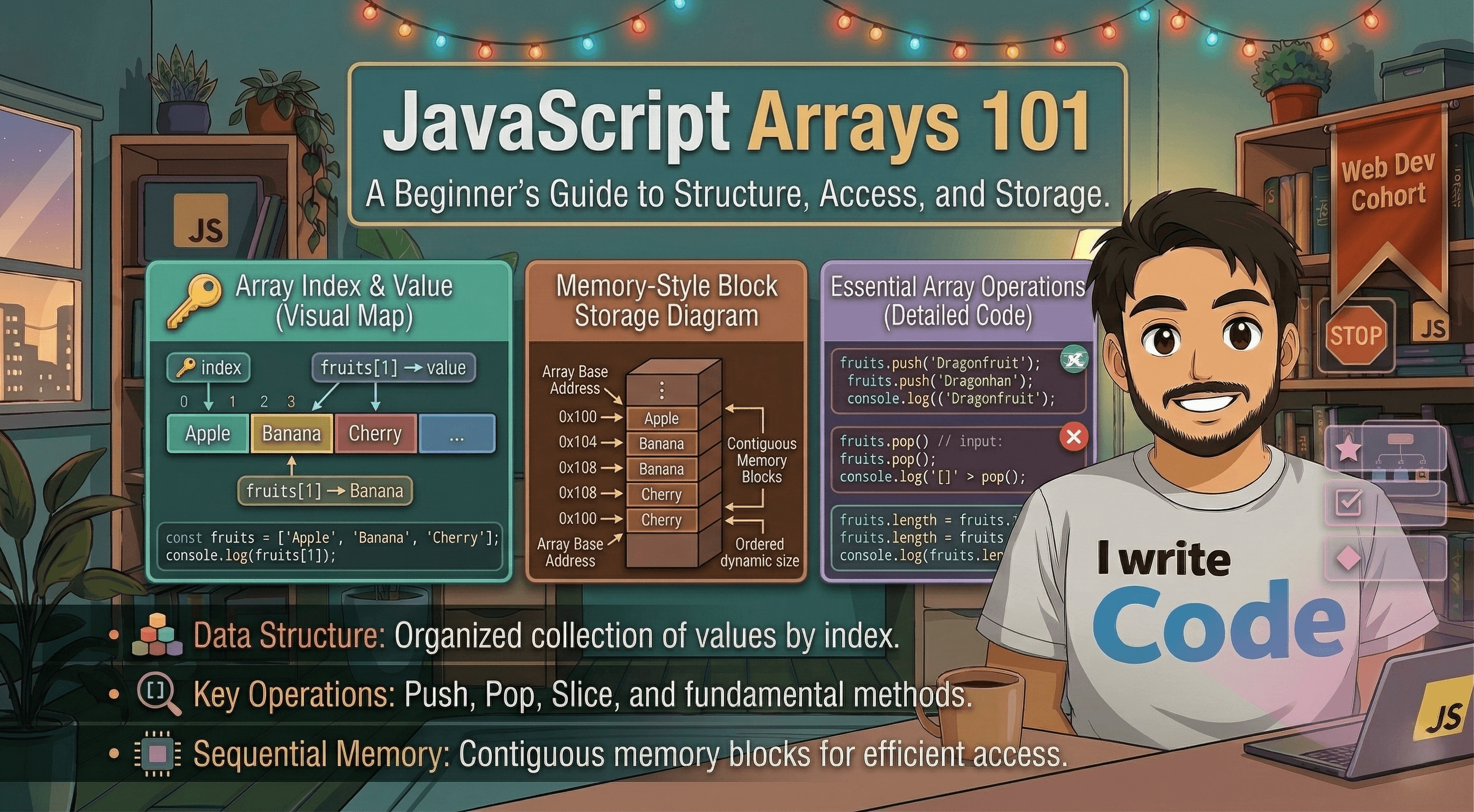
Once your data is inside the array, you need a way to get it back out. JavaScript keeps track of every item in an array by assigning it a numbered position called an Index.
There is one critical rule you must remember: Computers start counting from 0, not 1.
The first item is at index 0.
The second item is at index 1.
The third item is at index 2.
To access an item, you write the name of the array followed by square brackets containing the index number:
let shoppingList = ["Apple", "Banana", "Milk"];

console.log(shoppingList[0]); // Output: Apple
console.log(shoppingList[1]); // Output: Banana
console.log(shoppingList[2]); // Output: Milk
Updating Elements
What if you change your mind and want to buy "Mango" instead of "Banana"? You can easily update an element by accessing its index and assigning a new value to it with the = sign.
let shoppingList = ["Apple", "Banana", "Milk"];
console.log("Before:", shoppingList); // ["Apple", "Banana", "Milk"]

// Banana is at index 1. Let's change it.
shoppingList[1] = "Mango";

console.log("After:", shoppingList); // ["Apple", "Mango", "Milk"]
The Array Length Property
Often, you will need to know exactly how many items are inside your array. JavaScript arrays have a built-in property called .length that tells you the total number of items.
Unlike the index (which starts at 0), the .length property counts normally starting from 1.
let shoppingList = ["Apple", "Mango", "Milk"];

console.log(shoppingList.length); // Output: 3
Basic Looping Over Arrays
If you want to display every item in your shopping list on the screen, writing console.log() for every single index is repetitive. Instead, we can use a basic for loop combined with the .length property to go through the array automatically.
Here is how you can loop through your array from the first item to the last:
let shoppingList = ["Apple", "Mango", "Milk", "Bread", "Eggs"];

// The loop starts at i = 0.
// It keeps running as long as i is less than the total length of the array.
// After every step, i increases by 1.
for (let i = 0; i < shoppingList.length; i++) {
  console.log("Item to buy: " + shoppingList[i]);
}

// Output:
// Item to buy: Apple
// Item to buy: Mango
// Item to buy: Milk
// Item to buy: Bread
// Item to buy: Eggs
Conclusion
Arrays are one of the most fundamental building blocks in programming. They allow you to group related data into a single, ordered list, making your code much more efficient. By understanding how zero-based indexing works and how to use loops and the .length property, you can manage lists of any size with ease.
Would you like me to provide a quick challenge where you can practice creating and looping through your own array?